
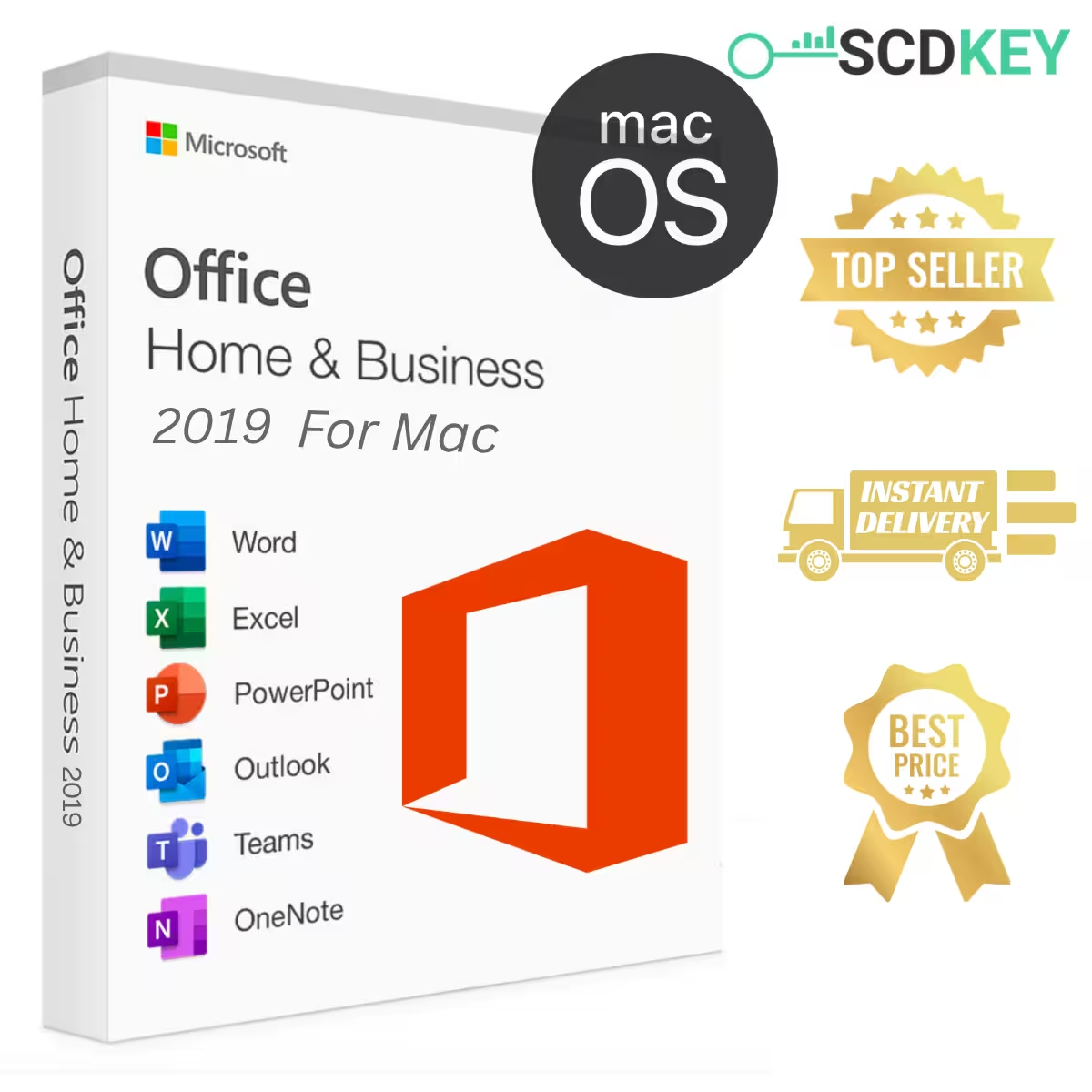
SCDKey Office 2019 Home and Business Key for Mac is the ultimate genuine productivity suite for Apple users looking for a dependable, permanent office software solution without paying expensive recurring subscription fees. Get your authentic SCDKey Office 2019 digital license key today at SCDKey for only $39.99, featuring instant email delivery, guaranteed Microsoft account binding, and lifetime activation.
⚠️ IMPORTANT COMPATIBILITY NOTICE:
- 🍏 Apple macOS Only: Designed exclusively for Mac hardware (MacBook Pro, MacBook Air, iMac, Mac mini, Mac Studio, and Mac Pro).
- 💻 Broad Compatibility: Fully supports both Intel-powered Macs and Apple Silicon architecture (M1, M2, M3, M4) running macOS Monterey, Ventura, Sonoma, Sequoia, and legacy releases like Big Sur and Catalina.
- ❌ Not for Windows PC: If you need software for a Windows computer, please explore our Office 2019 Professional Plus Key for Windows or browse our complete Microsoft Office collection.
🌟 Why Choose SCDKey Office 2019 for Mac?
Choosing SCDKey Office 2019 provides individuals, remote workers, students, and businesses with a reliable, feature-packed office ecosystem. Instead of getting locked into ongoing cloud subscriptions, you enjoy complete software ownership with unmatched stability.
- 🔒 100% Genuine Lifetime License: A one-time purchase grants permanent usage rights. No monthly renewals, no hidden costs, and no expiration dates.
- 🔗 Official Microsoft Account Binding: Your activation key binds directly to your personal Microsoft account at setup.office.com. If you ever wipe, format, or upgrade your Mac, simply log in and redownload your software without buying a new key.
- ⚡ Instant 24/7 Digital Delivery: Your 25-character product key and step-by-step setup manual arrive in your email inbox within 2 to 5 minutes after checkout.
- 🌍 Universal Global License: Valid worldwide across all languages supported by macOS, including English, French, German, Spanish, Arabic, Italian, and Japanese.
- 🛡️ Verified Activation Guarantee: Every single license is authentic, verified, and backed by SCDKey’s responsive 24/7 customer support team.
💼 What Apps are Included in Office 2019 for Mac?
The SCDKey Office 2019 package contains the full suite of classic desktop productivity applications, carefully crafted and optimized for Apple’s high-resolution Retina screens and macOS gestures:
- Microsoft Word 2019 for Mac: Experience focused writing with the built-in Focus Mode, full Dark Mode compatibility, real-time collaboration, Smart Lookup research tools, and elegant typography controls.
- Microsoft Excel 2019 for Mac: Harness powerful data analysis capabilities with new Funnel Charts, 2D Surface Maps, precision formula builders (TEXTJOIN, CONCAT, IFS), and native Multi-Touch gesture support.
- Microsoft PowerPoint 2019 for Mac: Build captivating presentations using cinematic Morph slide transitions, dynamic Zoom interactive slides, Scalable Vector Graphics (SVG), 3D model manipulation, and 4K Ultra HD video exports.
- Microsoft Outlook 2019 for Mac: Take control of your emails and schedule with Focused Inbox filtering, @mentions for team communication, travel and package delivery summary cards, and the convenient “Send Later” email scheduler.
- Microsoft OneNote for Mac: Organize meetings, sketches, audio recordings, and research in an intuitive digital binder that synchronizes effortlessly across your iPhone and iPad.
💻 macOS Version & Hardware Compatibility
One of the greatest advantages of SCDKey Office 2019 is its exceptional stability across a wide variety of Apple hardware. While newer editions like Office 2024 demand the latest operating system, Office 2019 runs lightweight and fast on both modern and older Mac machines:
- Processor Support: Compatible with Intel Core processors as well as Apple Silicon (M1, M2, M3, M4 chips) via seamless Rosetta 2 translation.
- Operating Systems: Officially supports macOS Sonoma, Ventura, Monterey, Big Sur, and Catalina.
- Hardware Requirements: Requires a minimum of 4 GB RAM (8 GB recommended) and 10 GB of available hard disk space formatted as APFS or HFS+.
- Display: Fully optimized for 1280 x 800 resolution or higher, with crisp rendering on Apple Retina displays.
💰 Office 2019 vs Microsoft 365: Massive Savings
Why pay recurring subscription fees every month? Here is how much you save when you choose a one-time perpetual license from SCDKey:
| Feature | SCDKey Office 2019 for Mac | Microsoft 365 Personal |
|---|---|---|
| Payment Model | One-time purchase ($39.99) | Recurring ($69.99 every year) |
| Cost After 3 Years | Only $39.99 (Save $160+) | $209.97 |
| License Type | Perpetual Lifetime License | Expires if subscription lapses |
| Offline Access | Full offline desktop apps | Requires periodic web check-in |
| Account Bind | Direct Microsoft Account Bind | Subscription account link |
🚀 How to Activate Your SCDKey Office 2019 Mac License
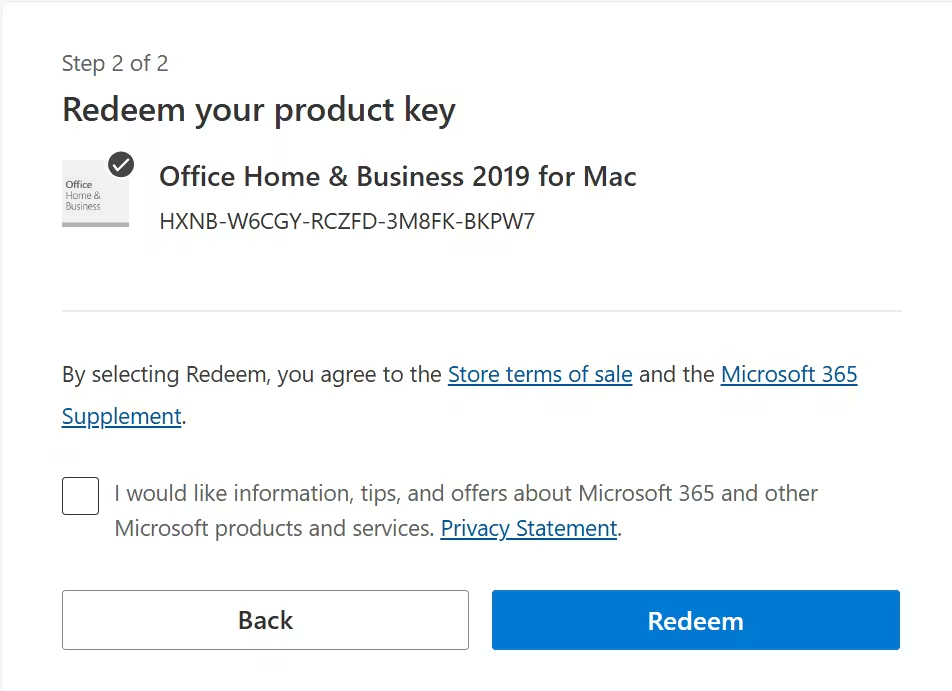
Activating your new software is quick, simple, and handled directly through Microsoft’s official infrastructure:
- Open your Safari or Chrome browser and visit the official portal: https://setup.office.com.
- Sign in using your personal Microsoft Account (or click Create Account to create one in seconds).
- Enter your unique 25-digit product key provided in your SCDKey order confirmation email.
- Select your region and preferred display language, then click Redeem to link the license permanently to your Microsoft account.
- Download the official Office installer package (
.pkgfile), run the setup wizard on your Mac, and launch Word or Excel to enjoy your lifetime software!
❓ Frequently Asked Questions (FAQ)
Is SCDKey Office 2019 Home and Business for Mac authentic?
Yes, 100% genuine and legal. You redeem the 25-digit activation key directly on Microsoft’s official website at setup.office.com, linking the license permanently to your personal Microsoft account and downloading software directly from Microsoft servers.
How much does Office 2019 for Mac cost, and are there recurring fees?
SCDKey Office 2019 Home and Business for Mac is available for a one-time purchase of only $39.99 (reduced from $100.00 regular price). There are zero recurring monthly or annual subscription fees — you pay once and own the lifetime license forever.
Which macOS versions are compatible with Office 2019 for Mac?
Office 2019 for Mac supports macOS Monterey (version 12), Big Sur (11), and Catalina (10.15), and runs smoothly on both Intel processors and Apple Silicon (M1, M2, and M3 chips) via Apple’s Rosetta 2 technology.
How fast will I receive my license key from SCDKey?
Delivery is instant. Your official 25-digit software activation code, setup instructions, and official Microsoft download links are sent directly to your email address within 2 to 5 minutes after payment verification.
Does Office 2019 Home & Business for Mac include Microsoft Outlook?
Yes! Unlike the Home & Student edition, Office 2019 Home & Business includes the full desktop version of Microsoft Outlook 2019 alongside Word, Excel, PowerPoint, and OneNote.
Can I reinstall Office 2019 if I reset or switch my Mac?
Yes. Because your product key binds directly to your personal Microsoft account at setup.office.com, you can log in to your account page at any time to redownload and reinstall the software on your Mac whenever needed.
What if I encounter any activation issues or need help?
SCDKey provides a 100% activation guarantee. If you experience any issues while redeeming your license on setup.office.com, our 24/7 dedicated support team is available to assist you or provide an instant replacement.
Reviews
There are no reviews yet